

As we navigate working in a digital age, with social media channels thriving and people spending more time online, businesses often avoid the cost-effective tool they have sitting in their pocket.
I’ve been working in email for a decade now and want to share some of my experience to help small business owners take the hassle out of email marketing – on a budget.
Here are my top tips for how you can set up email for your business – including five email automations you can get started with today to save you time and money.
First, budget-friendly tools you’ll need
The first thing is to make sure you invest in a tool that’s right for you and your business. Email marketing tools for small businesses don’t have to be expensive, or complicated. And although there are a lot of options out there, choosing one doesn’t need to take lots of time and effort.
These are my top picks for tools you could implement today that all offer either a free or low-cost plan. Choose one that suits you best:
- Zoho
- Mailchimp
- HubSpot
- iContact
- Omnisend
Send the right email at the right time
No matter what industry you’re in, email is going to be a key part of your strategy to make sure you’re reaching your audience at the right time, with the right message.
Technology and automation can make make it easier and faster to get your messages out to your customers. This will help you reach your customers and make more sales without the manual process.
Pro tip: Tools like HubSpot and Omnisend will let you set up email automations for free, while also offering flexible, low-cost monthly plans that grow with your business.
5 email communications you can automate
Below are five examples of automated campaigns that you can set up and send at specific times throughout your customer journey. This is how you’ll start making money more quickly and build customer relationships.
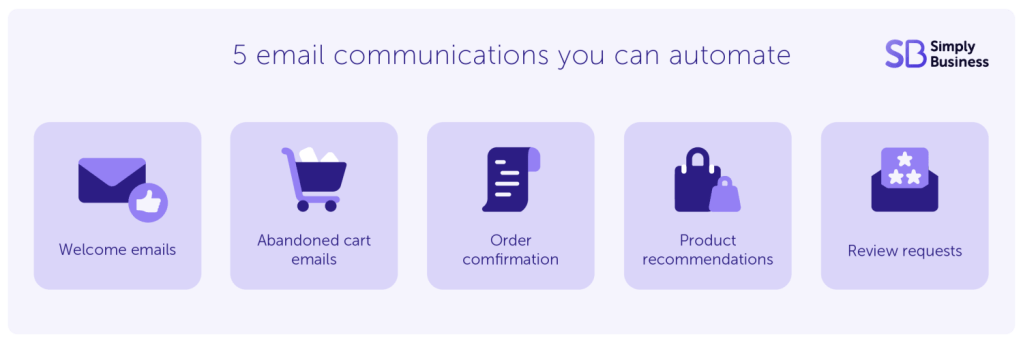
1. Welcome series
A welcome series can go a long way in nurturing your customers and keeping you at the forefront of their minds. These emails give you the perfect opportunity to introduce your brand, products, and services.
Example
For example, let’s say you run an online shop selling printed t-shirts. Someone signs up to your mailing list, so you send them emails welcoming them to your brand.
| When | Purpose | |
| 1 | Real-time | Introduce who you are and a special discount |
| 2 | 2 days later | Showcase popular products and delivery options |
| 3 | 3 days later | Showcase customer testimonials and ratings |
| 4 | 4 days later | Send a reminder about a discount and a date when the sales offer ends |
2. Abandoned cart
On average, over 70% of online shoppers abandon items in their cart before completing the checkout process, according to the Baymard Institute. And nearly 43% of these abandon because they’re “not ready to buy”.
Sending a personalised email between two and four hours after they leave your website can be a great way to bring them back. Plus, offering a special discount can help encourage someone to make a decision to buy from you now.
Example
You’re an electrician offering EV charger installations. A customer clicks on your page about this service but leaves your website before contacting you. Here’s a series of emails you could set up:
| When | Purpose | |
| 1 | 2 hours later | Still looking for [service]? |
| 2 | 5 days later | Benefits of [service] and a discount |
Pro tip: Offering a special discount a few hours after someone’s left something in their basket can be a great email automation for bringing people back to your website.
3. Order confirmation
When someone has bought a product or booked a service with you, send them an order confirmation in real-time to thank them. List the product/service they’ve paid for and any tracking details.
Example
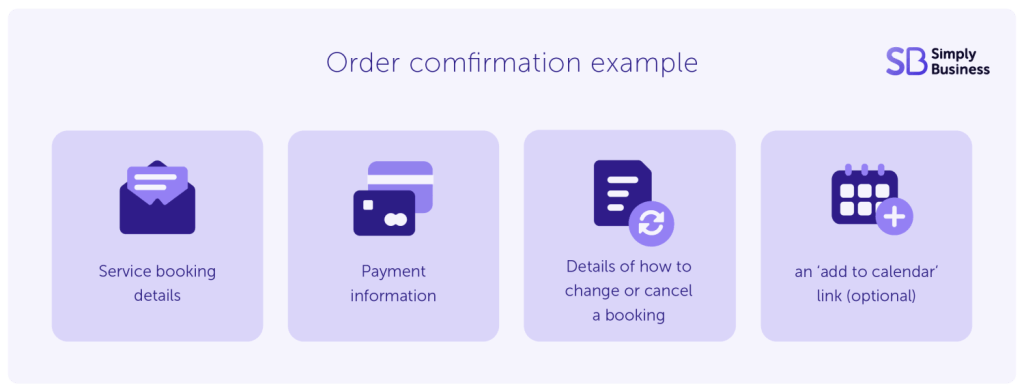
You run a domestic cleaning service and someone books you online. You send them an email straight away confirming their booking. This email should include:
- service booking details
- payment information
- details of how to change or cancel a booking
- an ‘add to calendar’ link (optional)
4. Product recommendations
Keeping customers coming back time and again is vital to any business for sustainable growth. Sending an email about other products or services related to the item they’ve just bought is a quick-win to retain your customers. This is known as ‘cross-selling’.
Example
You run a brick-and-mortar store in your local high street selling baby items. A customer comes in and buys a swim rash top in size 6-9 months. At the point of sale, they sign up to receive your emails:
- automated email (two weeks later): share sun hat and swim shoe recommendations for size 6-9 months
5. Review requests
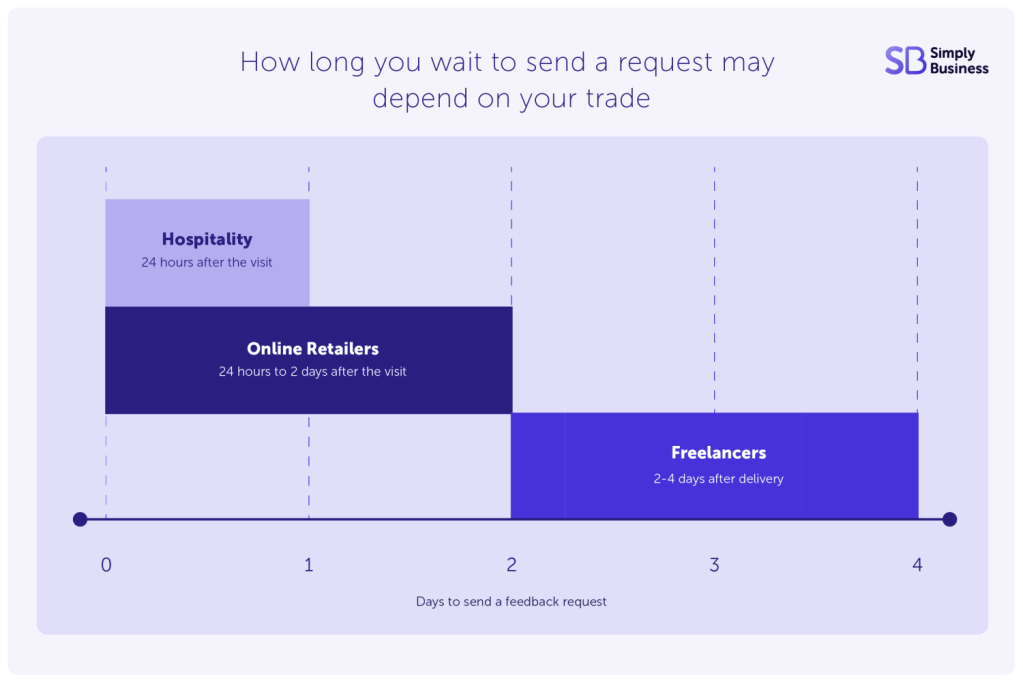
Once a customer has made a booking or bought something on your website and you’ve delivered it, send a review request as a simple way to build your brand’s reputation.
How long you wait to send a request may depend on your trade, for example:
Example
An automated email to request a review could make these key points:
- your feedback helps us keep improving and makes sure every [visit/product/service] is as good as it can be
- please leave us a review on [platform, e.g. Google], or if you have an specific thoughts then feel free to drop us an email
- we have a monthly prize draw for people who write us a review (if you want to offer an incentive)
How to use AI for planning and writing emails – saving you time and stress
Writing content for email marketing doesn’t have to be a long process. And if you’re just starting out, you don’t need a full content team to create it.
AI can be a great tool to help you write your emails and plan when to send them – just make sure you write a detailed prompt.
Whatever tool you’re using – from Gemini and Claude to ChatGPT – a good prompt for drafting marketing emails will include:
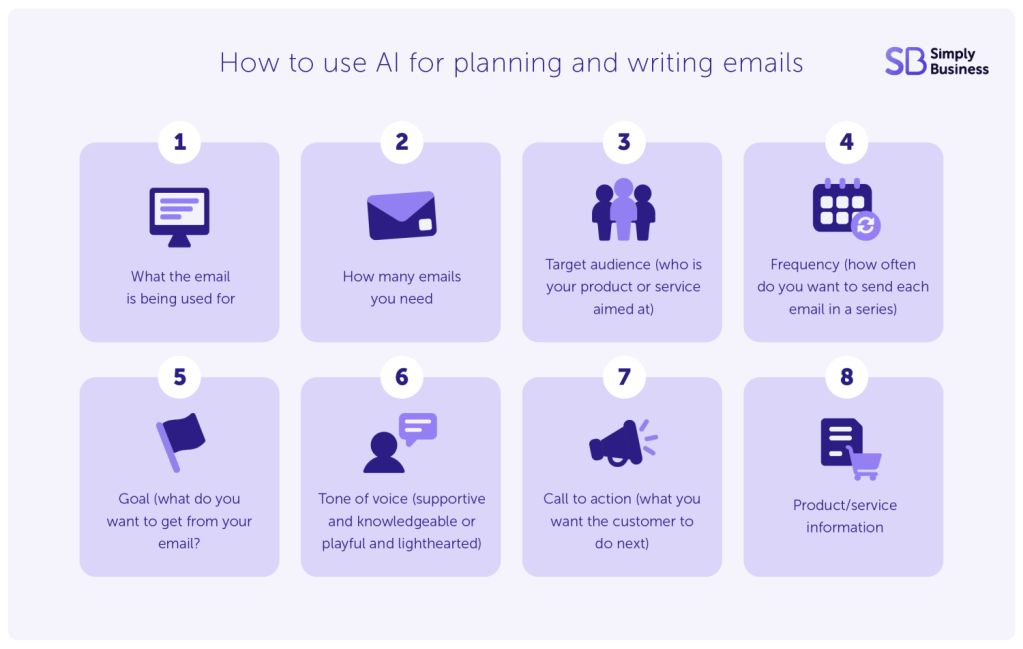
- what the email is being used for (e.g. sales, product recommendations, or a review request)
- how many emails you need
- target audience (who is your product or service aimed at)
- frequency (how often do you want to send each email in a series)
- Goal (what do you want to get from your email? E.g. brand awareness or more sales/bookings)
- tone of voice (supportive and knowledgeable or playful and lighthearted)
- call to action (what you want the customer to do next)
- product/service information
Read more about free AI tools you can use for your business.
Final thoughts
Email marketing remains one of the most cost-effective ways to reach your target audience and cut through the noise of your competitors. Inboxes get busy, but if you send the right message at the right time then you’ll capture attention and hopefully make a sale.
And setting up just a few of these automations and using AI to help write your emails means you can spend less time on admin and more time on higher-priority tasks. Automating what you can means you’re still communicating with your audience at key moments without taking time out from running your business. It’s the secret to making money while you sleep.
Want even more tips like these to land in your inbox? Make sure you’re signed to our newsletter. We’ll bring you tips, tools, and resources for the self-employed along with the latest news that could impact how you run your small business.
Related marketing guides
- How to advertise your business for free
- Ultimate marketing guide – with founder tips
- Business plan alternative – the lean business canvas
- How to find a gap in the market